

When developing a game, whether you’re creating it on your own as an indie developer or working with a large team of people, you will have or develop a pipeline — a chain of tools, each doing the part it's actually designed for before handing an asset off to the next piece in the chain. Here's what that pipeline looks like for Habitat, and why I chose each piece of it.
Images are links.
Pencil and Paper
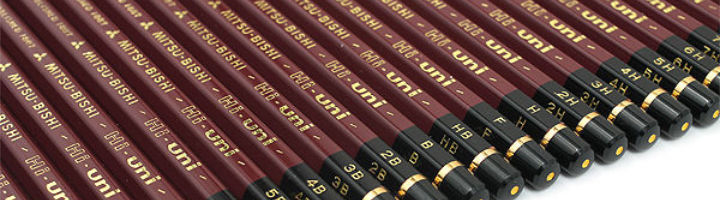
Everything still starts here. I'm comfortable with traditional art, and I work faster and focus better with an actual pencil in hand than I do starting cold in a digital program. My pencils of choice are Mitsu-Bishi Hi-Uni — genuinely fantastic pencils, worth the reputation they have. The sketch pad itself doesn't matter much beyond being decent paper; the real purpose of the sketch is just to get a solid foundation down quickly, ready to scan in and prepare for digital work.
Clip Studio Paint

In my opinion, the best paint engine of any art program out there, bar none. This is where sketches get inked and painted — concept art, creatures, anything that isn't a material for a 3D prop or level piece. It's also going to share duty, alongside Affinity, on finishing UI and HUD elements once those are ready for polish.
Affinity

I'm anti-Adobe — I have no interest in a subscription model for tools I want to own outright. Affinity gives me Photoshop-like capability without that trap. It won't carry a huge share of Habitat's creation, but it has a real role: image adjustments, screenshot cleanup, final art piece polish, and finishing work on UI/HUD elements alongside Clip Studio Paint.
Blender

This is the real workhorse for Habitat. Nearly everything that ends up visible in the game outside of UI elements passes through Blender at some point — 3D props, level pieces, creature creation, and animation. Rigging and animation specifically will lean on a handful of Blender addons, but that's a big enough topic that it deserves its own dedicated article down the road rather than a mention buried here.
3D Coat

While 3D Coat is a full-featured 3D application my primary use for it is the creation of materials, mostly for props. I'm actively refining this part of my workflow right now — learning to build better trim sheets, texture atlases, hotspot texturing, and similar reuse-focused techniques rather than texturing everything as one-off unique materials. There's a new version of 3D Coat out with a lot of new capability, including node-based material creation, that I'm still getting familiar with. It's possible this expands 3D Coat's role from "just props" into level texturing as well, once I've fully learned what these newer methods can do.
3D Coat also has some excellent 3D sculpting tools. In my opinion, much better than Blender’s. As a result, I intend to use 3D Coat for high-end 3D sculpts that will be brought back into Blender for retopology and baking. However, once again, 3D Coat has some new features and has a pretty robust set of tools for both retopology and baking, so I may do it here as well.
InstaMAT Studio
This one is currently under evaluation. It's a huge, deeply controllable piece of software — free for me through its Pioneer license — and that depth can be intimidating, but there's no denying its capability. Part of what makes it interesting is that it folds the capabilities of Substance Painter, Substance Designer, and more into one cohesive package, rather than needing separate tools for separate jobs. Having a free, full-featured program that does what both Substance Designer and Painter do can save me a ton of money as Adobe has made the Substance line of software prohibitively expensive through its subscription model.
Substance Painter

I've got an older version and may still use it here and there, though I've spent so long working in 3D Coat that a lot of Substance Painter's workflow needs relearning at this point. There are still a handful of features it has that 3D Coat has historically lacked — though 3D Coat's newest release may close that gap enough that Substance Painter may drop off this list entirely before long.
Sound and Music
Genuinely my weakest area right now, and I’ve only barely looked into it. Habitat is years away from needing final audio, so there's no pressure yet to lock anything in — but it's worth being upfront that this is a real gap in my current toolkit rather than pretending it's already solved. Expect a future article once I actually start figuring this piece out.